Hi
When I drag drop ALL TRACKS to my DAW (Studio One v7 Pro) I get all events squashed onto the track of one midi note, and on playback it plays only the two sounds that are on the first step in the playbeat steps panel…and it repeats playing that first column in the steps panel. I cannot seem to find a way for it to simply copy all midi notes over to my DAW for playback/editing on my DAW. Am I missing something? I have made a video showing what the problem is, see here https://videoblurb.com/mp/playbeat-to-midi.mp4
Have you tried changing the Midi In and Midi Output Notes.
Take note of the pitch value, because they are tied to the Midi and will probably sound different when you play a Midi File into Playbeat 4.
And Make sure that your Midi Notes match on Midi Import. I like to use the standard Drum Map to make my life easier, so when I create a Midi Drum Pattern…I start from C1. As I have seen some Midi Files start from C0 or C3.
Here’s a couple of screenshot that hopefully will help
Thanks for the response mate. I am away from my computer until Monday but I will try this. I would have thought that the default would be for it to map each sound on Playbeat to a different note on the DAW, not the same note! Very odd that it does that by default. I will have a look soon, thanks again.
Hi, and thanks. I have managed to change my Midi Outputs from C2 to G2 but there is no option for Midi INPUTS as I see there is on your Playbeat 4… ???
I am very surprised and disappointed that there is no default setting where midi out>DAW> midi in (Playbeat) will result in hearing the exact same pattern and pitch etc without digging into settings like this. I’m not !00% sure what you’d meant about using the standard drum map, but if that is a way to bypass this weirdly complicated workflow, I’d like to know more! In the meantime I don’t see where Midi Input has gone, why it’s not on my Playbeat (latest version 4)
The Midi Output should work when you drag the Midi in to your DAW.
That is odd the Midi Import is not showing in your screenshot. The Midi input is when you want to drag a Midi File into Playbeat 4 the notes from the Midi file should match the Midi Input Notes. Ask the Devs @Audiomodern , as I can’t help you with that.
Just make sure the Midi Drum file has No Extra Midi information like Groove, Swing etc ‘in this moment in time’, as that will will mess up the timing. In my case if there is Groove Data in the Midi File…..Playbeat 4 will not playback the pattern properly.
The Standard GM Drum Map won’t bypass Playbeat 4 behaviour. It’s just something I am used to when working with Drum Machines. I know what sounds should be on what note, so when browsing through different Drum Kits I’m expecting a similar sound, and not a Hihat playing a Snare Drum. I use Playbeat 4 to drive other Drum Machines, so browsing their Drum Kits is easier for me to then select a different sound when I am happy with a Drum Kit preset
I did bring up the Midi Input / Output problem before in another post. I suggested a lock button for the User ‘acting as the default’, and a On/Off toggle for Playbeat 4 original pitch settings, as I don’t want to keep entering Midi Settings,….and the On/Off toggle button would let us know how the Drum Kit in Playbeat 4 originally sounds.
Hope the devs @Audiomodern can help with the missing Midi Import Tab!
Thanks for the input, very kind of you to spend the time! After mapping midi out in Playbeat4, I can drag drop midi clip to the DAW, but on playback it is a mess, for each note it just plays the first beat repeatedly as if it was triggering the Playbeat sequence instead of playing back like a regular midi instrument. I just don’t see how to set Playbeat to operate as an instrument, playing a different sound for events on different daw note tracks, like any instrument would… The manual is very lacking in information too… I will try speak to @Audiomodern directly. Thanks again.
Yeah! The playback would be a mess. The Midi Import Tab fixes that!
Also when you need to browse through Playbeat 4 presets… turn Off the ‘Lock Midi Outputs’ Button, else it will sound odd. The Pitch is tied to the Midi. Unless you want to drag a Midi Pattern, then leave it on.
You have to change the pitch to make it playback properly. It will be probably be tedious at the minute until Audiomodern helps with the missing Midi Import Tab issue.
No! Worries with the input! It took me a while to figure out that Playbeat 4’s Midi and Pitch are locked together. Change One you change the other!
If you created a Preset with your Midi Outputs. Leave the ‘Lock Midi Outputs’ On. Clear the Patterns in Playbeat 4, when you want to play a Midi File from your DAW,
If you want to hear different sounds in a Cleared Pattern Playbeat 4 or Empty. You can load the Sounds from the other Drum Kits.
Scroll through the Browser and open each Drum Kit!
Hi again, I discovered that because I don’t have the midi input panel, I couldn’t map it to match the midi export assignment, so it was making nonsense, but when I dropped down an octave from C2 to C1, it worked fine! So as long as I leave the assignment as is (I will try save a preset, have not tried that yet) It should be all good to go… Thanks for your patience and kindness mate.
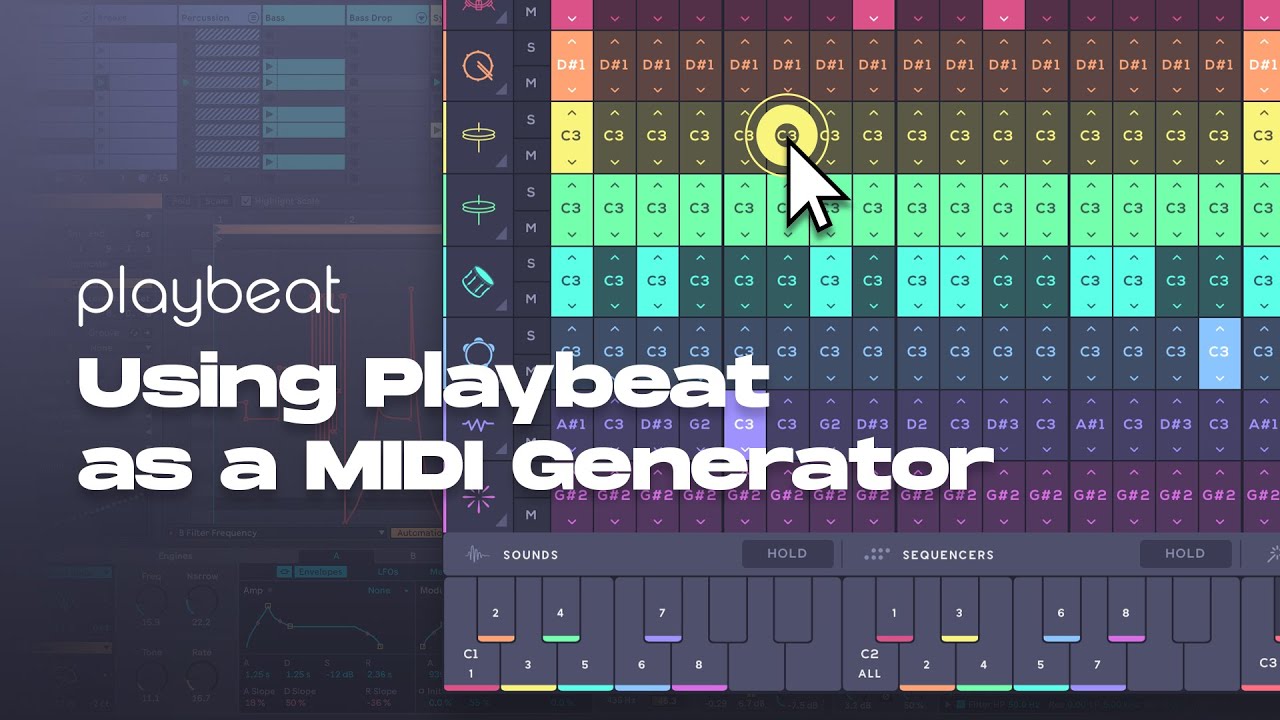
If you’re trying to trigger the different sequencers in your DAW, have you tried using the corresponding keys on the bottom keyboard? Here’s a video demonstrating the triggering modes:
Hi, no, I was wanting to copy midi events to my DAW and have Playbeat play the midi notes from my DAW so that it sounds exactly as that pattern sounds within Playbeat, IE I wanted playbeat to work as a normal INSTURMENT. I did manage eventually, despite the terrible mess IMO that Playbeat unnecessarily causes with MIDI assignments. As you see in the image I shared above, I do not have Midi Input on my settings (I don’t understand why), and there really should never be a need to manually map each track to C1 - G1, this should all happen automatically, surely?
I’m afraid this wouldn’t be possible. While you can trigger the built-in sounds using keys or MIDI notes from the first octave, doing so would make the entire pitch engine obsolete, preventing any real-time pitch-shifting values from being processed if a preset is using it. By using the trigger notes, however, you can trigger individual sequences, full mixes, or remix keys with just a single MIDI input note.
Yeah, I do not like that… I like to have every beat, note visible in my DAW as it is much more “secure”… if anything had to happen, those beats/notes are there and can be easily assigned to other instruments.
You can definitely use the MIDI data to control other instruments (watch the video below) but not Playbeat itself. To do that, you’ll just need to trigger a single MIDI note from the bottom trigger keyboard.
I have notes on my DAW which trigger individual sounds on Playbeat. I first had to map the midi input on Playbeat to those notes on the DAW… So I’m baffled that you say it is impossible.
have a look at the youtube video showing this working
However, routing the MIDI output where the pitch-shifting engine is applied back into Playbeat will not yield the same results. To achieve precise control of the sequences & remixes you’ll need to use the trigger keys as demonstrated in the videos above.