I am really enjoying Playbeat 4, but I’ve run into a frustrating workflow limitation regarding the MIDI routing and the internal audio engine. I am trying to set up bidirectional visual feedback with my Novation Launchpad Mini MK3 in Ableton Live.
The Goal: I want each of the 8 tracks in Playbeat to send a unique, discrete MIDI note (e.g., C1 to G1) to Ableton. This allows me to route those notes to my Launchpad so the pads light up individually when the sequencer plays.
The Problem: To achieve this, I have to turn ON the “Fixed Note Output” in the MIDI Outputs tab and assign unique notes to each track. However, doing this immediately forces the internal audio sample to be pitch-shifted to that exact MIDI note. If I assign Track 1 to C1 for the LED feedback, the drum sample suddenly plays two octaves too low. There seems to be no way to disable “Key Tracking” for the internal audio engine.
Why the current workarounds don’t work for me:
-
Using the TUNE knob: I can manually pitch the sample back up using the Tune knob (e.g., +24). However, as soon as I load a new sample or use the A.I. Randomize feature, the pitch resets and the sample sounds completely wrong again.
-
Using an external Drum Rack: I could route the MIDI out of Playbeat into an Ableton Drum Rack to avoid pitch issues. But doing this completely bypasses Playbeat’s internal sample engine and the excellent A.I. Sound randomization, which is one of the main reasons I use the plugin.
The Request: Could you please add an option to decouple the MIDI Output Note from the internal sample pitch? A simple “Key Tracking ON/OFF” toggle in the sample editor—or making the “Fixed Note Output” strictly affect the MIDI output without altering the internal audio pitch—would completely solve this.
This would make Playbeat 4 the ultimate sequencer for hardware controller integrations without sacrificing the internal sound design features.
Thanks for considering this!
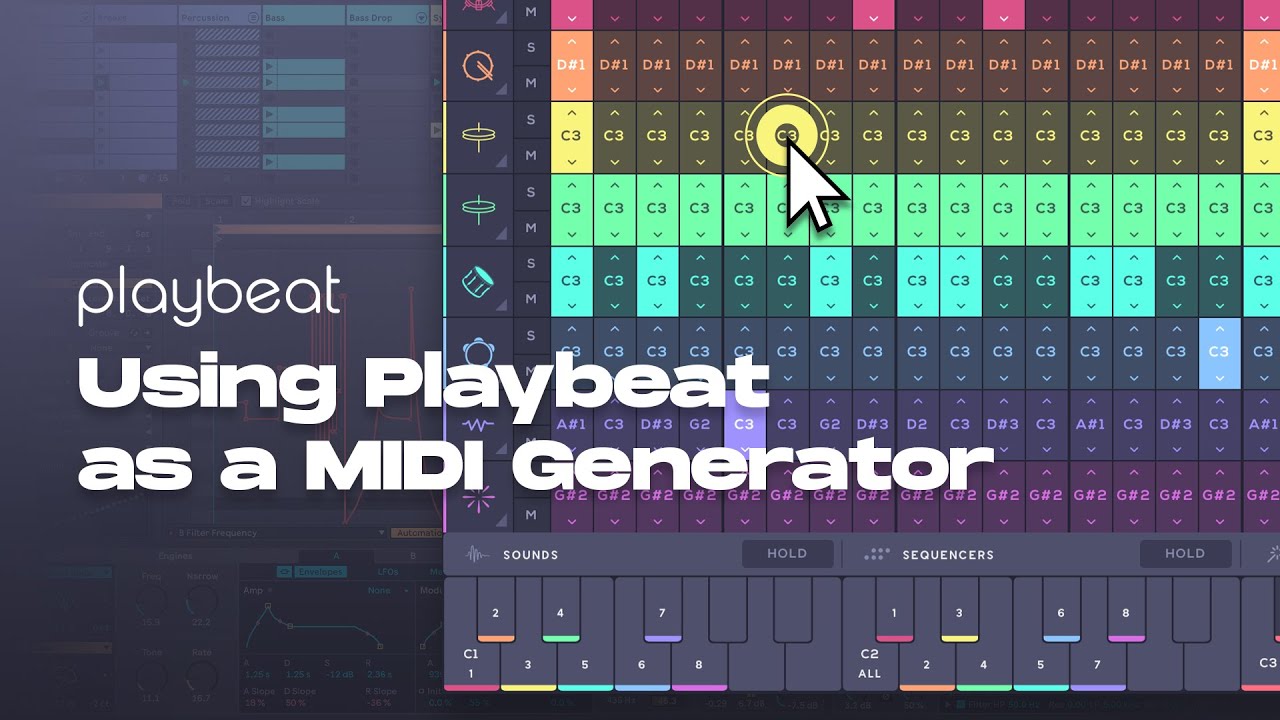
 This allows each track to be triggered independently while keeping pitch-shifting information separate.
